Skip to content

From “Which one?”to “I’d like to visit.”

Follow a customer from a £20,000 car search to a considered choice and a sales enquiry in the dealership’s inbox. See how Reesponder helps on the website, then brings the team into the conversation.

A timely answer turns a customer’s question into a purchase

Your content.
A customer’s question.
A reason to stay.

A product catalogue can contain everything a buyer needs and still leave them unsure. They may know their budget but not the right model, or understand the headline specification but want help with the trade-offs.

This walkthrough shows website Knowledge and human escalation working together. Reesponder uses the published vehicle information to support the decision, then opens a contact form when the visitor asks for the sales team.

Follow the full captures below. Each opens in a larger view, so you can read the exchange and see the surrounding website.

Help someone find their starting point.

A visitor arrives with a budget and a practical need. Your catalogue has the answers, but finding the right combination takes more than a filter. Reesponder helps turn that broad search into a choice the customer understands.

A budget becomes a useful shortlist.

The customer wants an automatic for everyday driving, with around £20,000 to spend. Reesponder compares the Golf GTI, Giulia Veloce and Auris Hybrid using the advertised prices and specifications. It also explains why the cheaper manual Mondeo does not meet the automatic requirement.

The answer connects the catalogue to the question. The visitor can compare relevant options without opening every listing or learning your stock references.
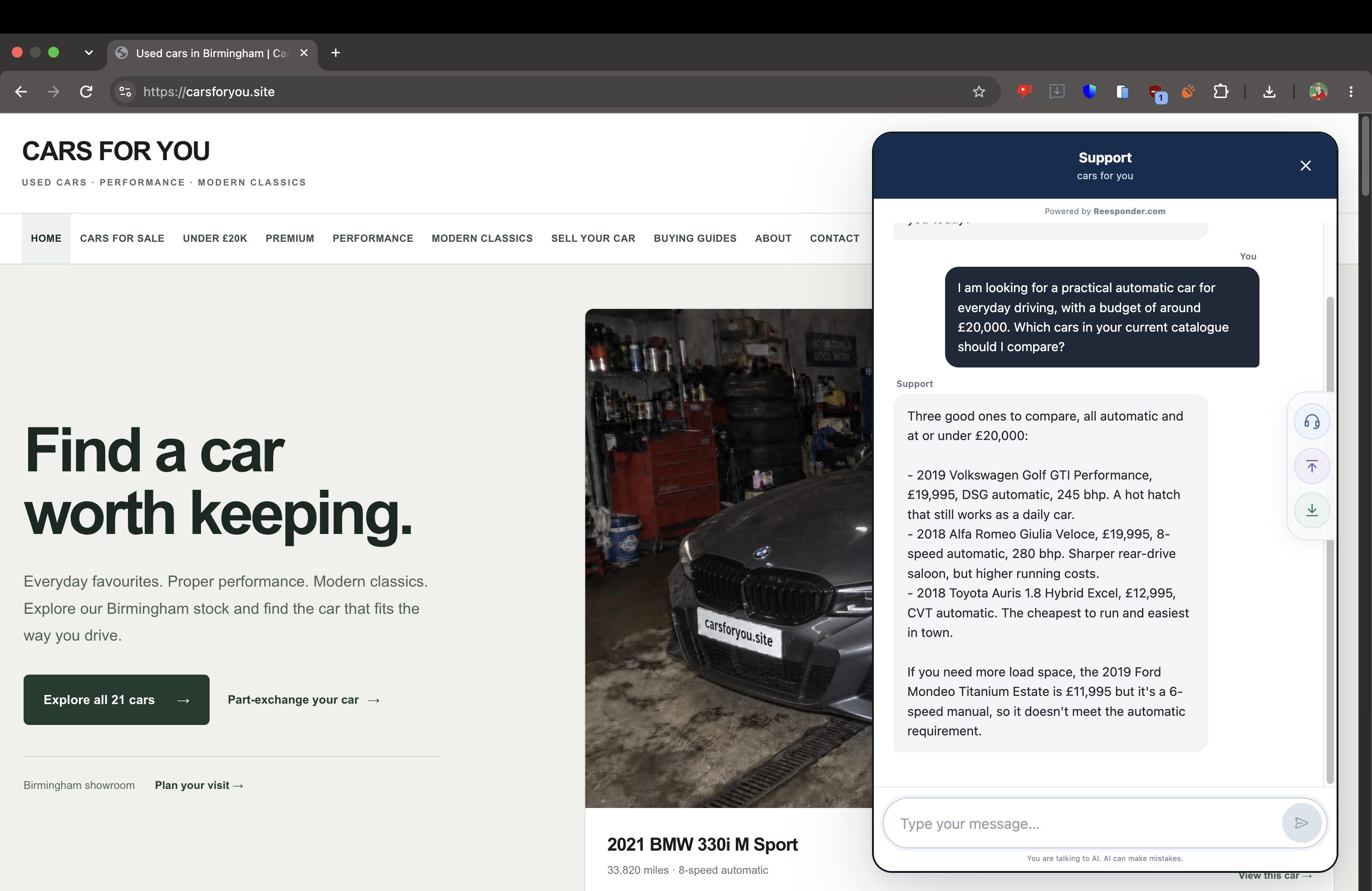
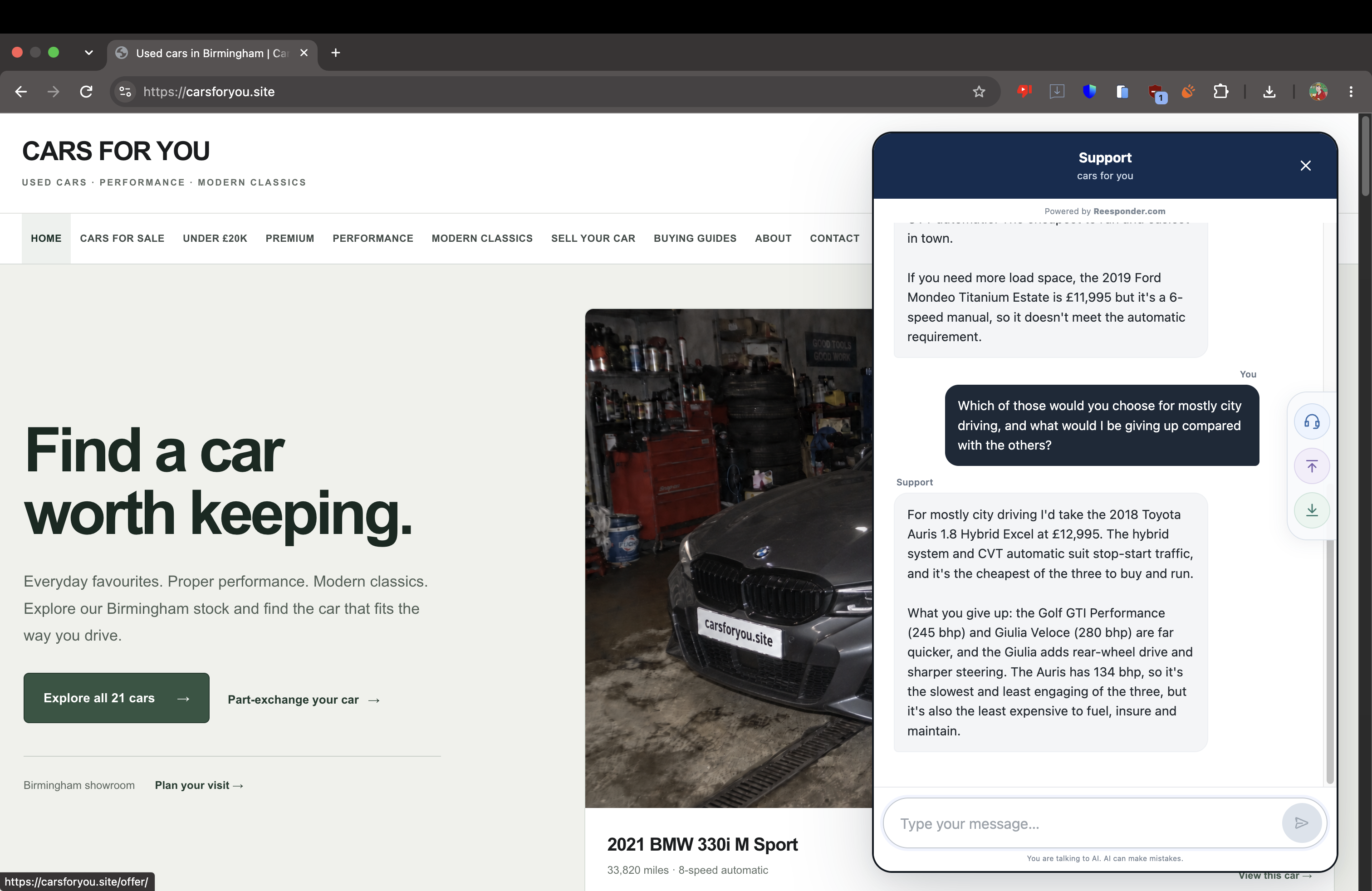
The first question produces three automatic options within the customer’s budget.

The follow-up changes what matters.

“Mostly city driving” gives the assistant a clearer basis for a recommendation. It selects the 2018 Toyota Auris Hybrid at £12,995 and explains the trade-off against the quicker Golf and Giulia.

This is where a conversation earns its place on a product website: the customer gets a reason to choose, with the alternatives still in view.

The Auris is recommended for city use, with the performance trade-offs explained.

The product page becomes part of the answer.

The visitor can inspect the cars for themselves, then ask about the offer in front of them. The website remains the place to browse, compare photographs and read the details. Reesponder adds help at the moment a question comes up.

There is still room to explore.

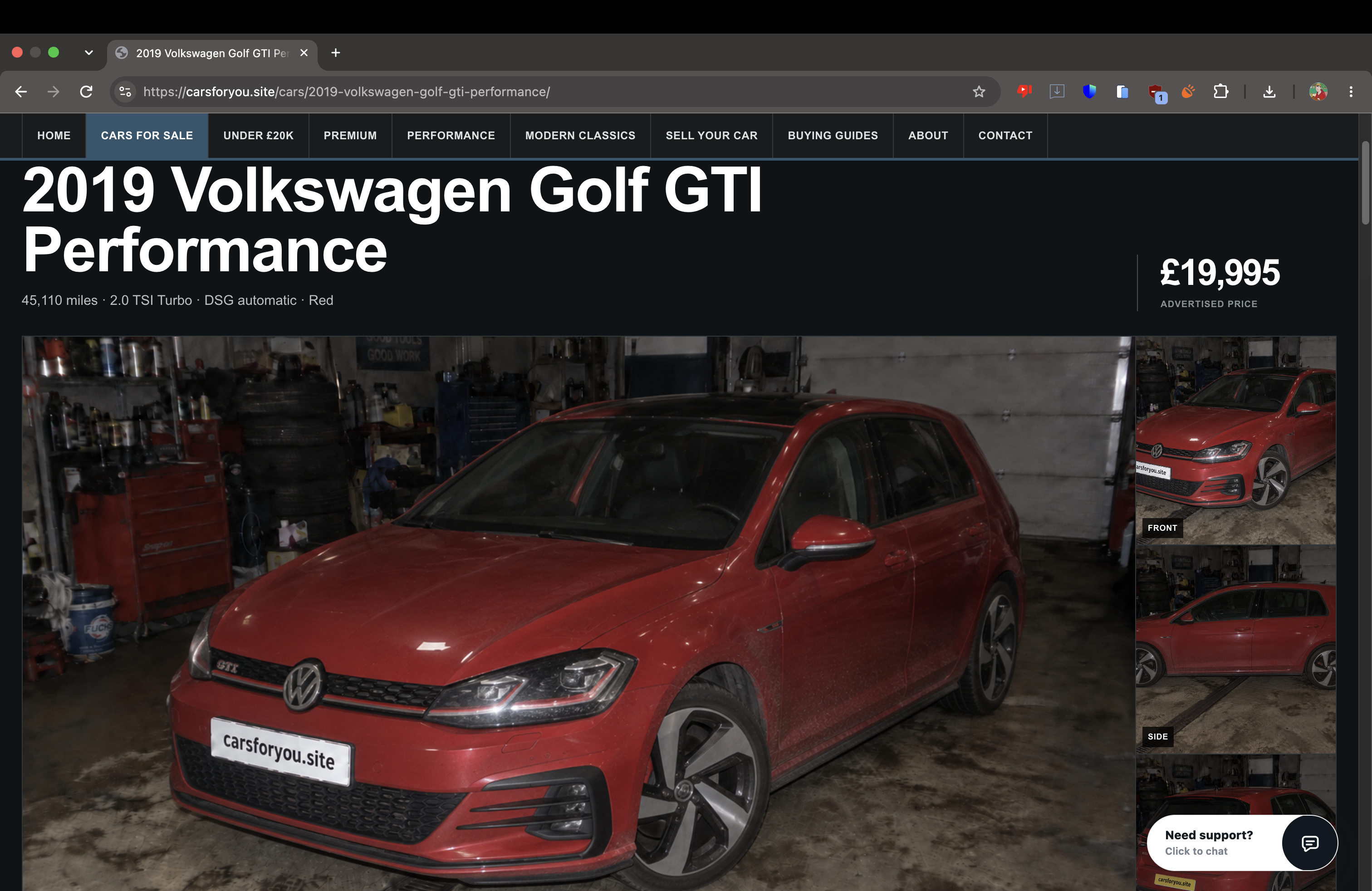
The Golf GTI is one of the original suggestions. Its listing puts the red car, £19,995 advertised price and DSG automatic specification in front of the customer.

A recommendation gives the visitor a direction. They still make the choice, with your own product pages doing their job.

The customer opens the Golf GTI listing to inspect one of the suggested cars.

A closer look at the recommended car.

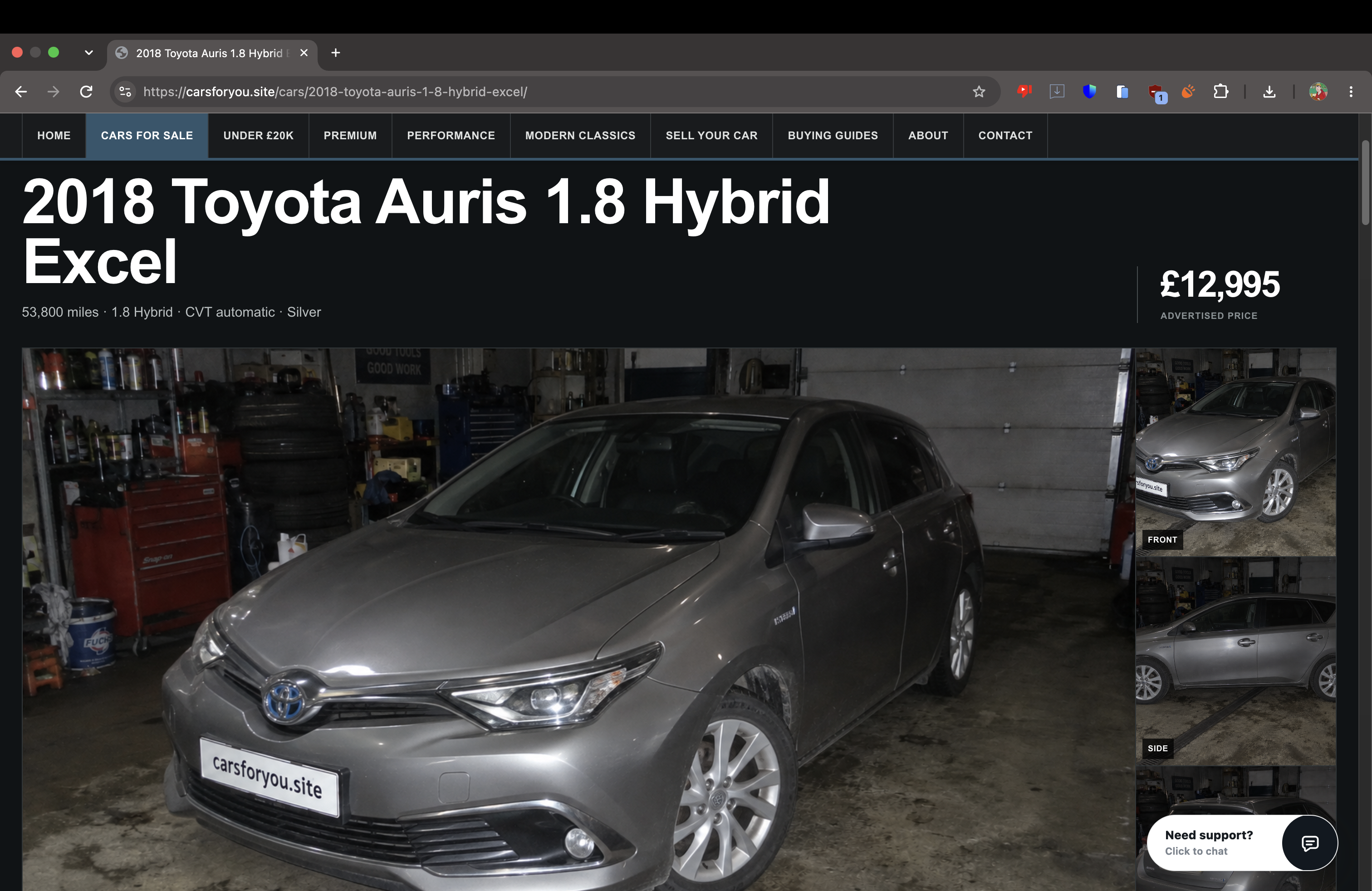
The visitor then opens the Auris. The page shows the silver 2018 Toyota, its £12,995 price, 53,800 miles and CVT automatic gearbox alongside the vehicle photographs.

The journey now has a specific focus. Questions can move from “Which car?” to “Is this the right car for me?”

The Auris listing shows the recommended vehicle and its advertised details.

“This listing” is enough context.

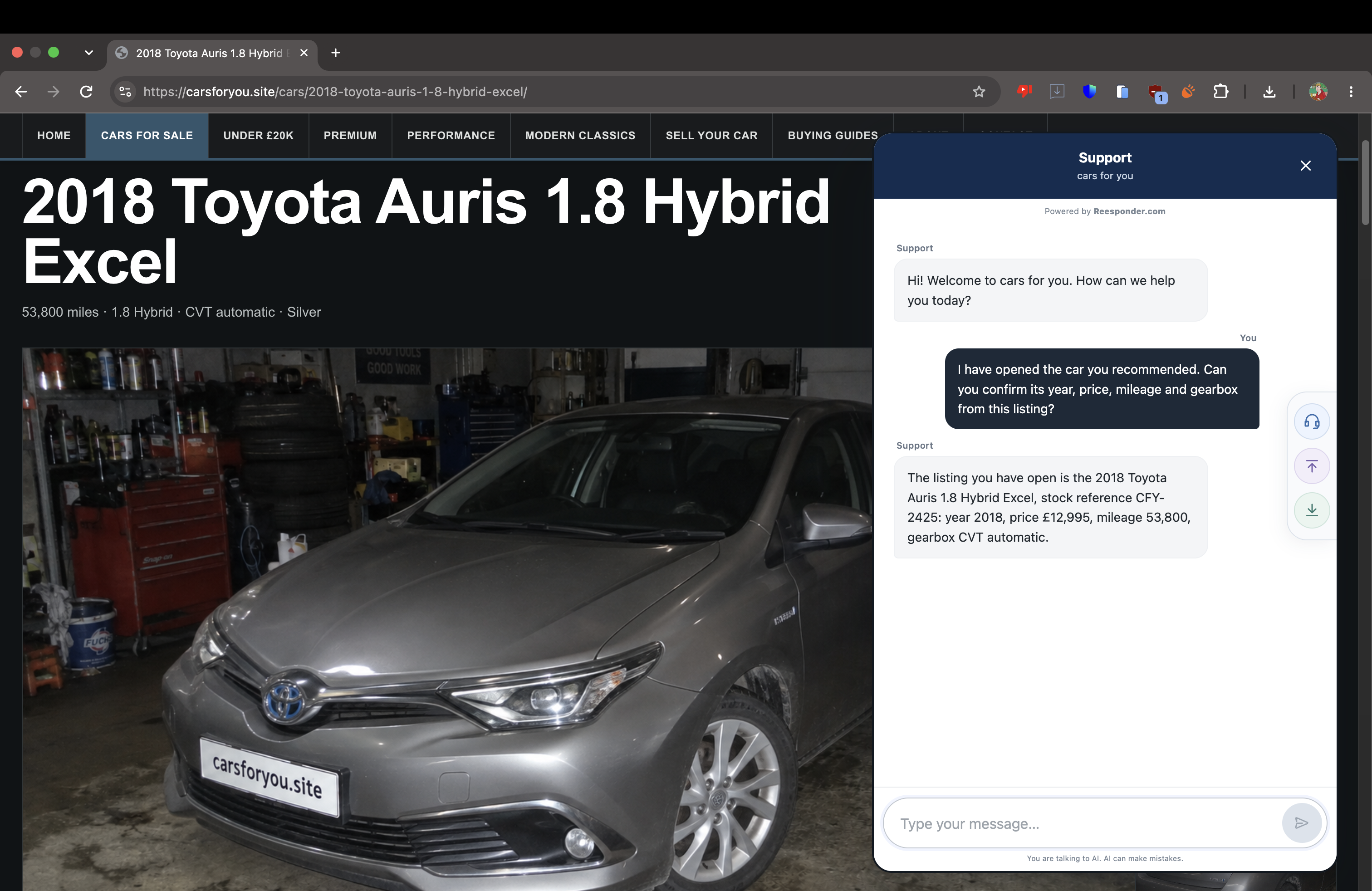
The customer asks for the year, price, mileage and gearbox. Reesponder identifies the Auris page and returns the details of that particular car.

The visitor does not need to paste the page into the chat or repeat the full product name. Page context helps the assistant answer the question where it is being asked.

The answer identifies the open Auris listing and confirms its key specifications.

Answer the question behind the purchase.

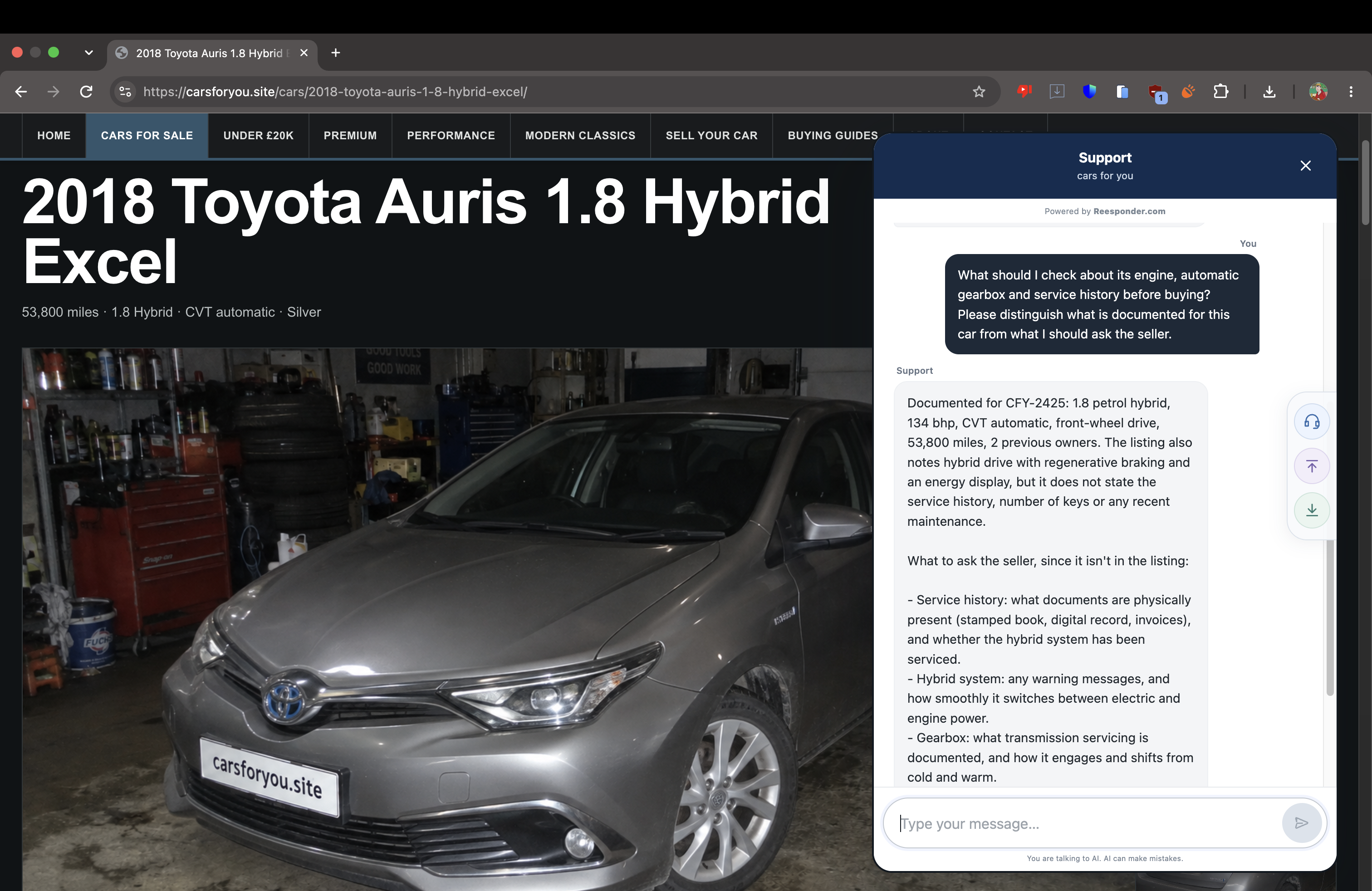
Before buying, the customer asks about the engine, gearbox and service history. The answer separates documented specifications from information that needs to be checked with the seller, including service records, keys and recent maintenance.

That gives the buyer a useful preparation list and gives the sales team a clearer conversation to continue. Missing service information becomes a question to resolve rather than a made-up assurance.

The assistant distinguishes listing facts from checks to make with the dealership.

Make the next step practical.

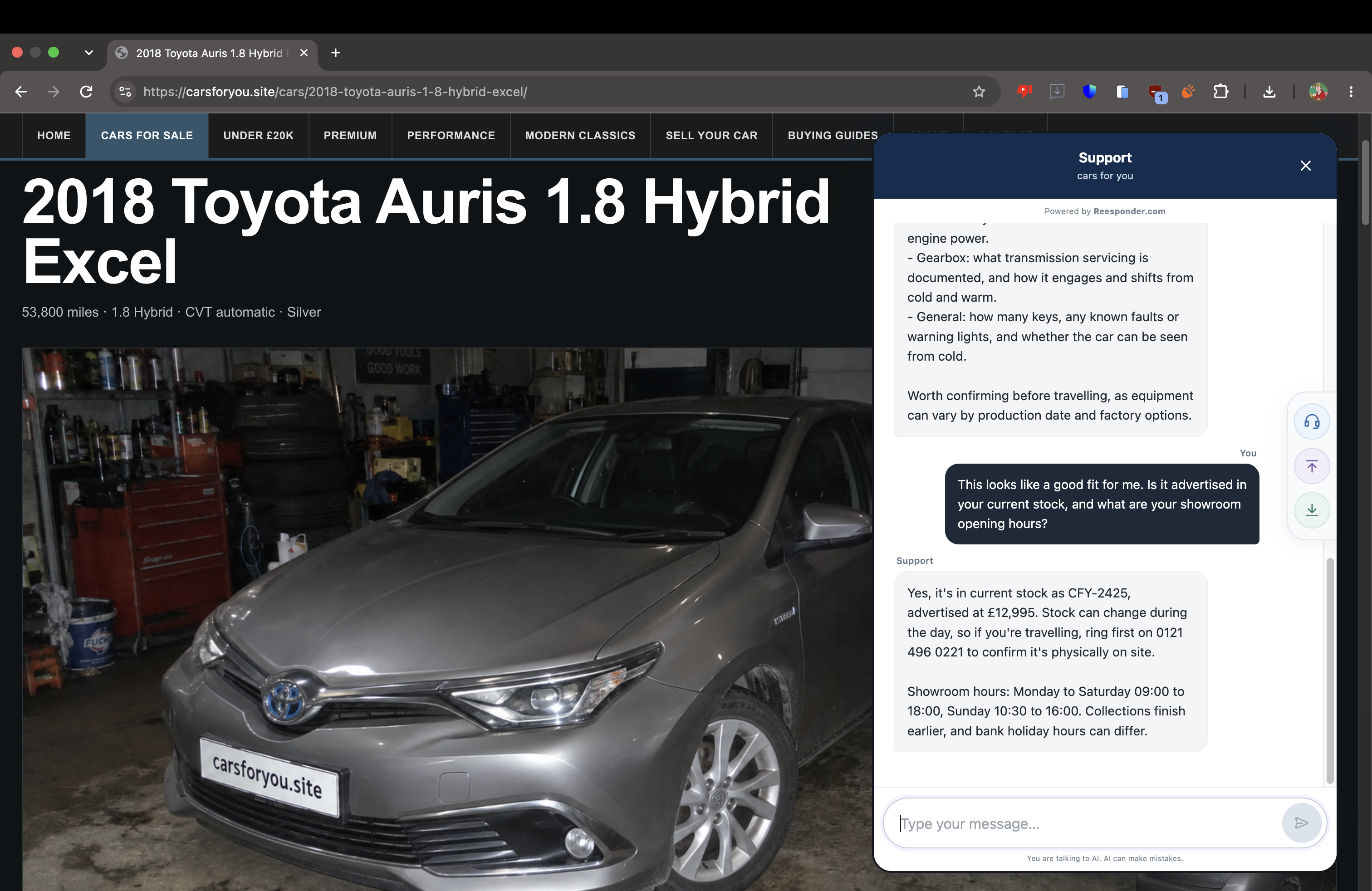
The customer asks whether the car is advertised and when the showroom opens. Reesponder provides the listed price, contact number and opening hours: Monday to Saturday 09:00–18:00, and Sunday 10:30–16:00.

It also asks the buyer to confirm availability before travelling. The customer has the information needed to plan a visit, while the dealership keeps control of current availability.

The conversation moves from choosing a car to planning a showroom visit.

Interest becomes a specific enquiry.

The customer has chosen a car and wants a test drive. This is the point to connect them with the team who can confirm the visit and discuss the purchase. The request carries the context already gathered on the website.

Capture the intent while it is clear.

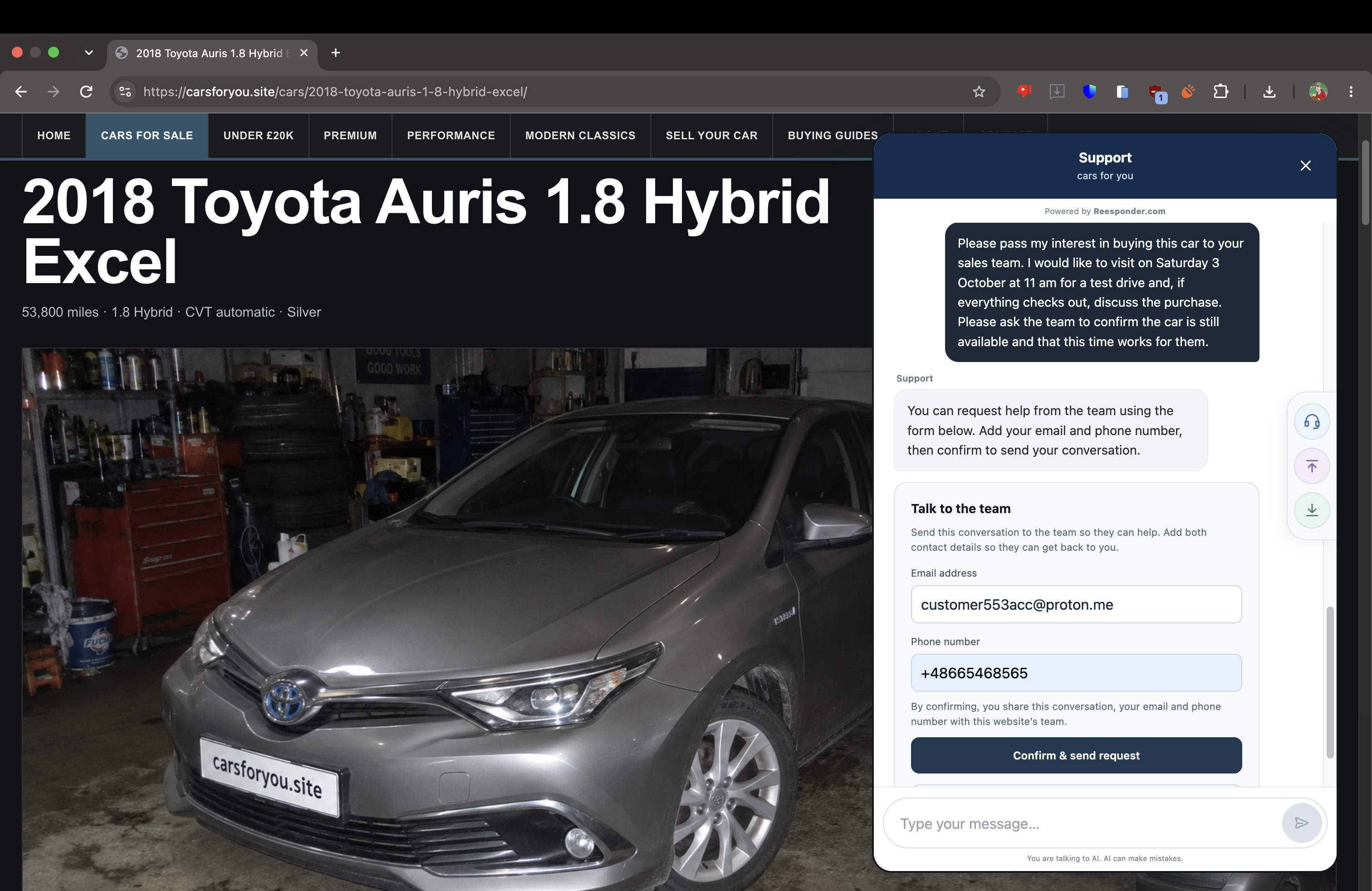
The visitor asks for Saturday 3 October at 11 am, with a test drive and a possible purchase. The widget opens “Talk to the team”, where the customer supplies an email address and phone number before confirming.

The form explains what will be shared: the conversation and both contact details. The sales team receives a concrete request, and the customer chooses when to send it.

The customer requests a test drive and completes the contact form in the widget.

Show the submission result.

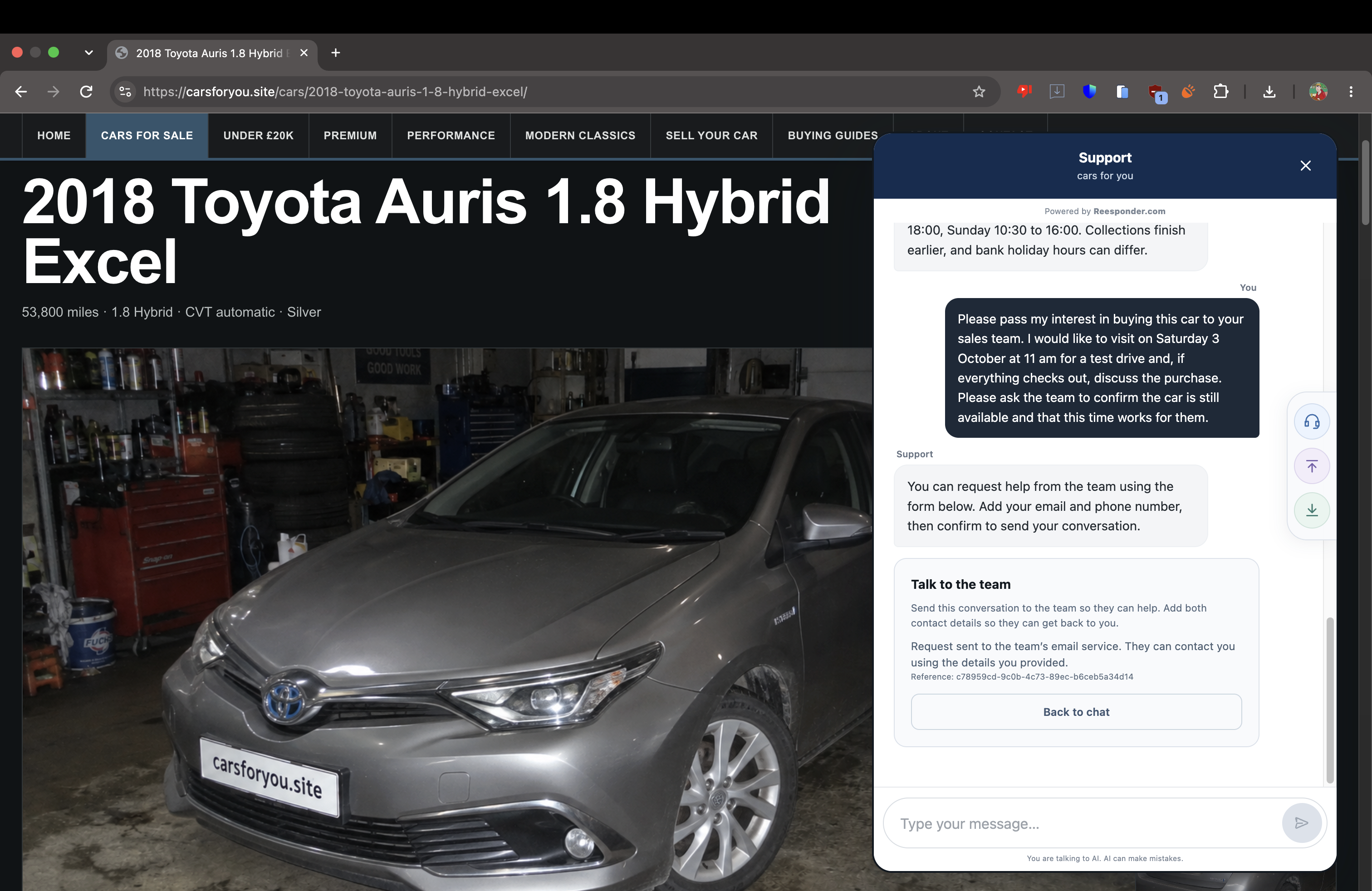
After confirmation, the widget displays that the request has been sent to the team’s email service, together with its reference.

The customer can see the result of submitting the form. The requested appointment remains for the dealership to confirm.

The widget shows the submitted request and its reference.

Leave the customer with a clear next step.

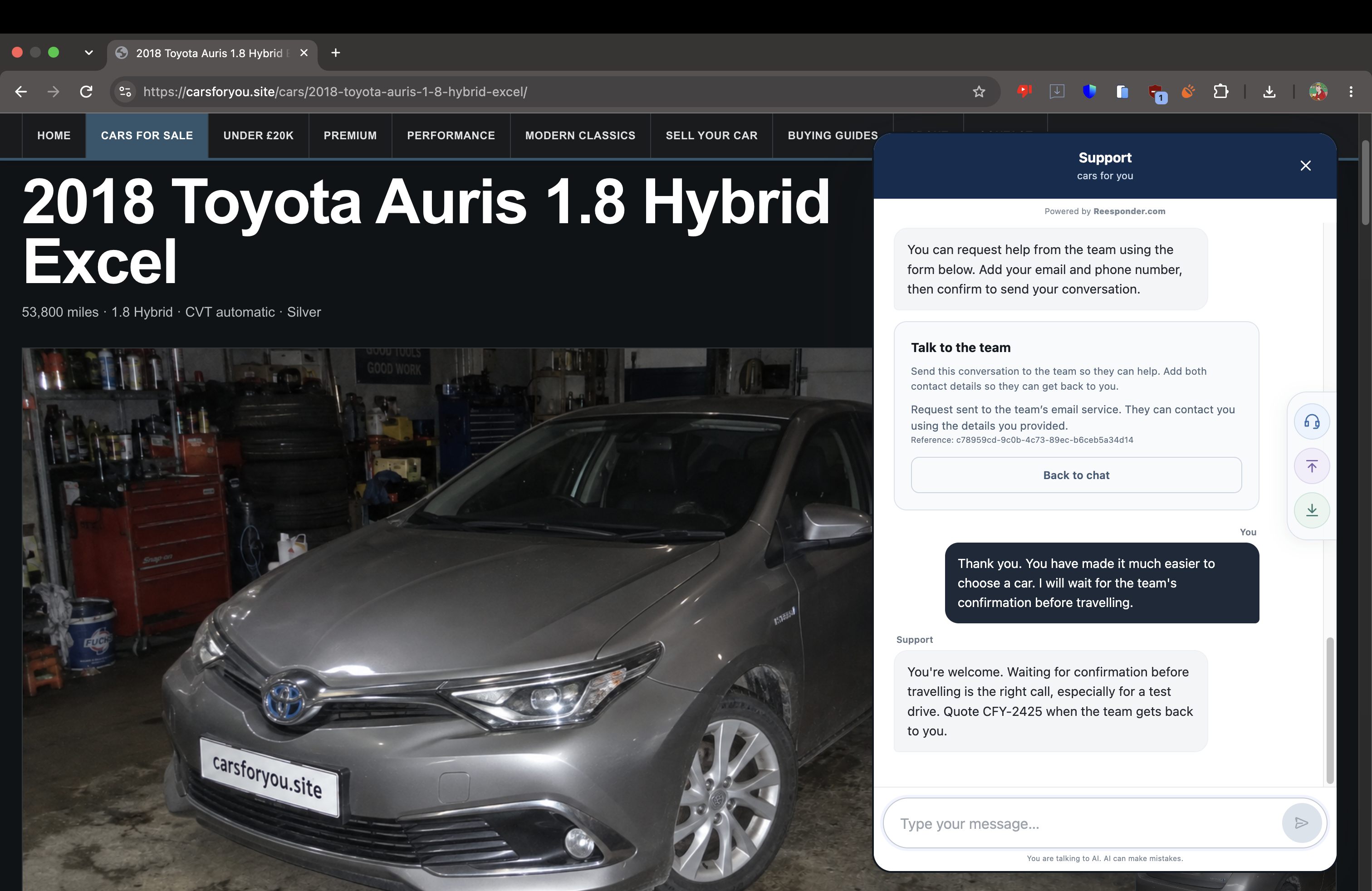
The visitor thanks the assistant and says they will wait for the team’s confirmation before travelling. The reply closes the exchange and identifies the selected car for the follow-up.

The conversation has helped the customer reach a decision and make contact. The sales team can take over the parts that require a person.

The customer closes the conversation knowing what happens next.

Now see it from the business side.

A useful handoff needs to reach the people doing the work. The final captures follow this enquiry into the dealership’s inbox and Reesponder workspace, beyond the customer-facing chat.

The enquiry reaches the inbox.

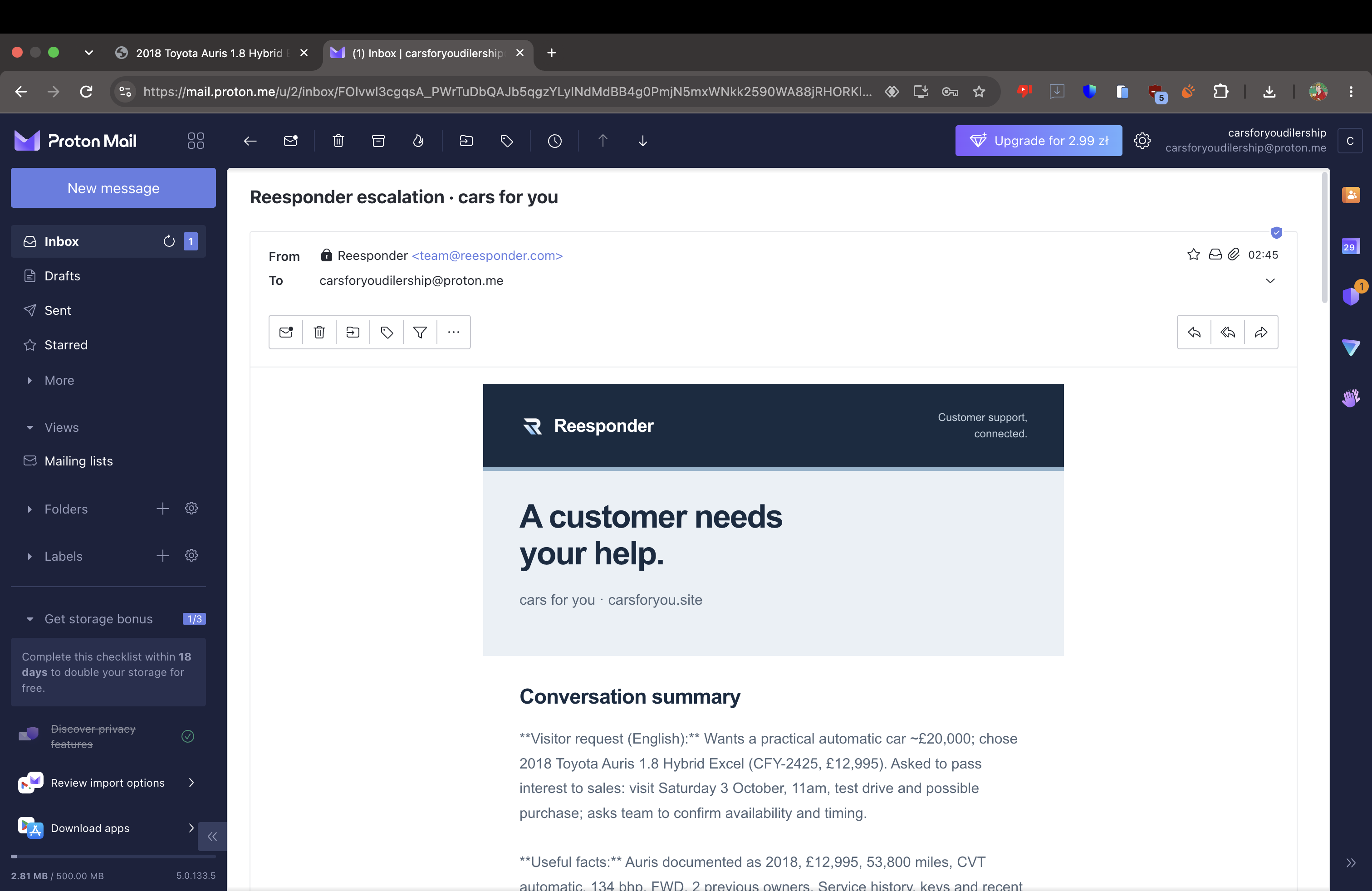
The dealership receives an email from [email protected]. Its conversation summary identifies the Auris, the customer’s interest in buying and the requested Saturday visit.

Your team starts with the substance of the enquiry: which product the visitor is interested in, what they have asked and what they would like to do next.

The dealership inbox contains the Reesponder email for the car enquiry.

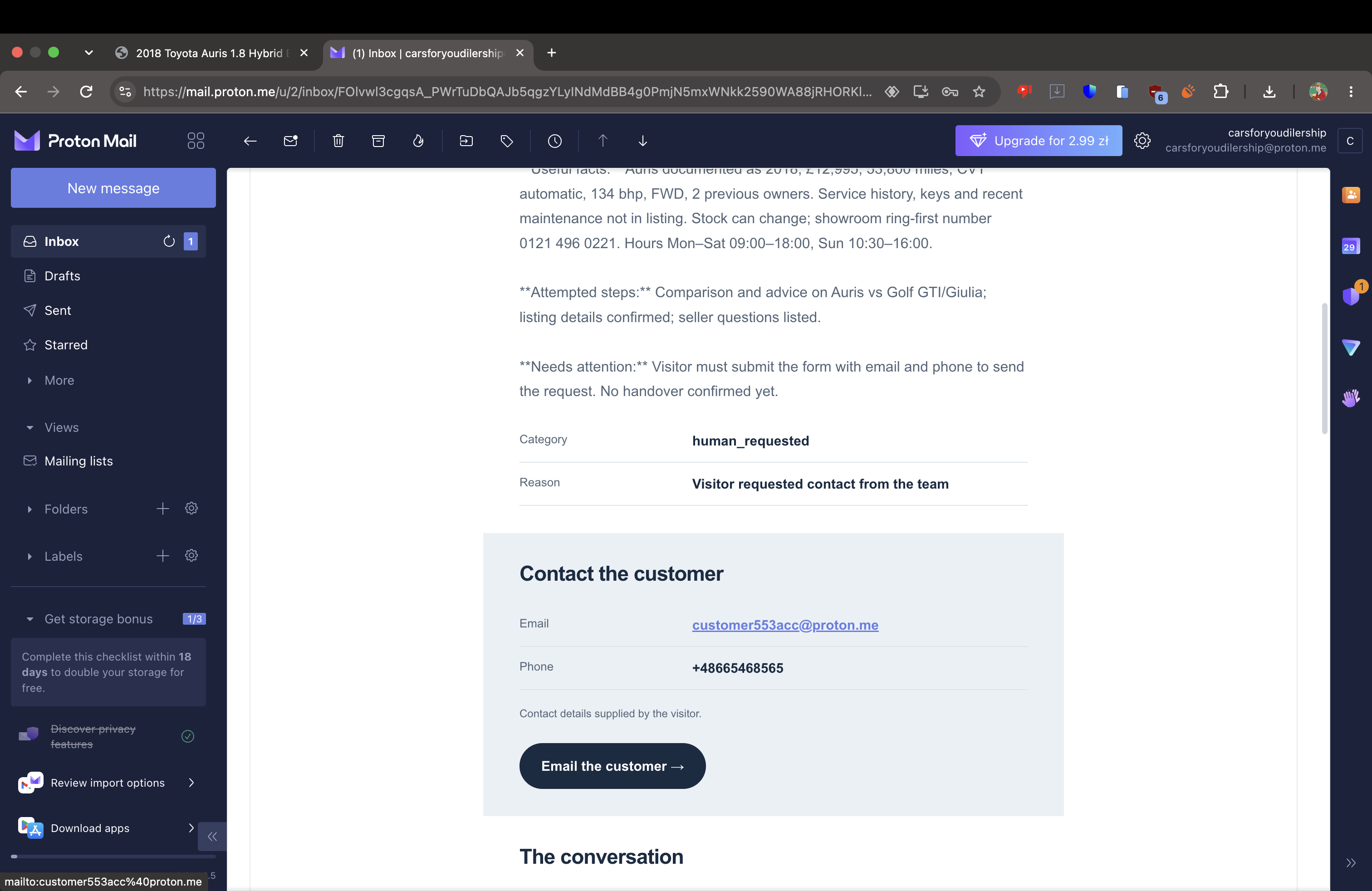
The contact details travel with it.

The same email includes the visitor’s email address and phone number, with a direct email link and the conversation below.

The recipient can contact the customer directly to confirm availability, discuss the car and agree a visit. There is no need to ask the visitor to repeat their contact details in a separate message.

The email provides the customer’s contact details for direct follow-up.

The workspace records the delivery.

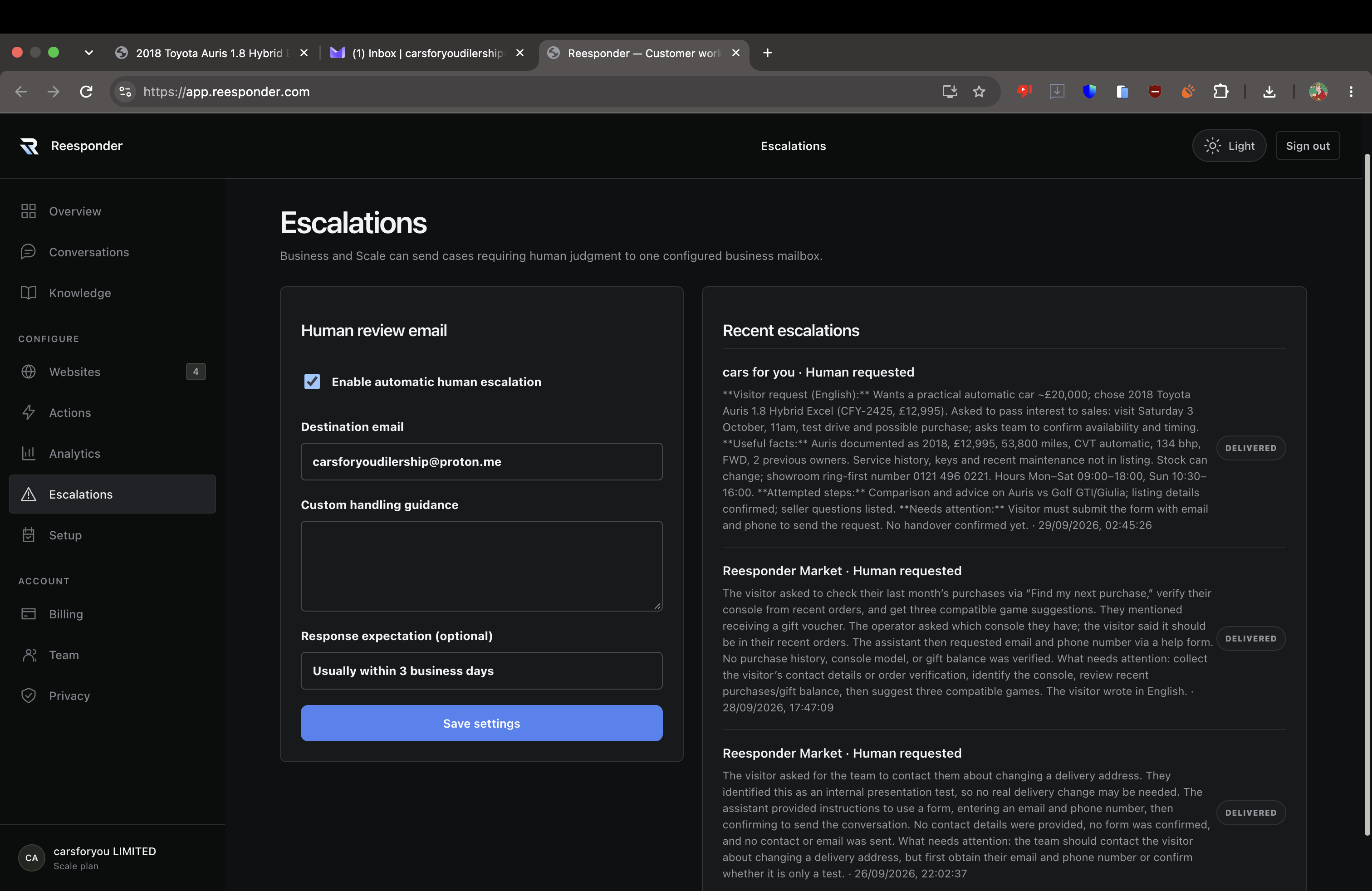
In Escalations, the Cars for You enquiry appears with a Delivered status. The same view contains the configured business mailbox and response expectation.

The team can see where requests are sent and review recent escalations from its websites. The inbox and workspace provide the business-side record of the handoff.

The Reesponder workspace shows the Cars for You escalation as Delivered.

Build this around
your own business.

Start with the pages your customers already use: products, services, opening hours, buying guides and frequently asked questions. Add the information your team regularly has to explain, then keep that Knowledge up to date as your business changes.

Install the widget and configure your escalation mailbox and response expectation on a plan that includes human escalation. Customers can ask on the page they are viewing, and the team receives the enquiries that need personal attention.

For account-specific information or operations such as updating a basket, Reesponder Actions connects the conversation to your API. Explore that workflow separately, with the same view of both the customer experience and the result in the business system.

A few things
worth knowing.

What makes this experience work on your website.

Where do the answers come from?

Reesponder uses the website content and Knowledge you provide. In this walkthrough, that includes vehicle listings, specifications, buying information and showroom hours. Keep those sources current and refresh crawled content when important details change.

Does the customer have to type a product code?

No. The visitor can describe their needs and ask about the page they are viewing. A product name or a follow-up question is enough when the available context identifies the item. If the request is ambiguous, the assistant can ask for clarification.

What reaches the team when someone asks for help?

After the visitor confirms the contact form, the configured mailbox receives the enquiry with a conversation summary, the conversation and the email address and phone number supplied by the visitor. The team can follow up directly.

Does sending the enquiry reserve the car or appointment?

The form sends the customer’s request to the dealership. Its team confirms availability and agrees the appointment. For bookings performed through a connected system, see the separate Actions walkthrough.

Can I try the customer experience?

Yes. Open Cars for You, browse the catalogue and ask the widget a question. You can explore recommendations, listing details and buying questions for yourself.

Be useful before
the customer leaves.

Help them understand the offer, choose their next step
and reach your team with something worth following up.